


Question:
How can I restrict certain file types from being imported into DocuWare?
Solution:
To restrict specified file types from being imported into your DocuWare system, please refer to the following guide below:
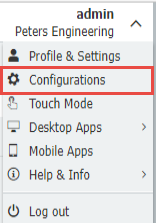
1. Navigate to the Configurations page using the dropdown under your username from the Web Client.
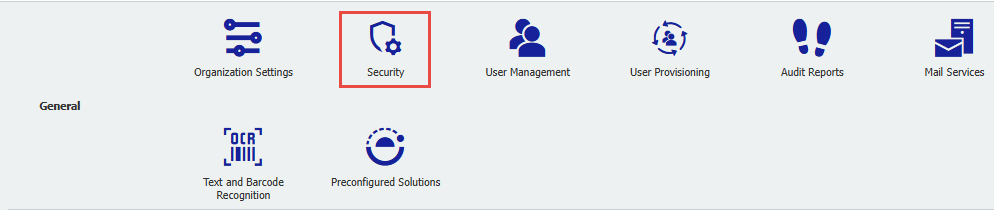
2. Select the Security plugin.
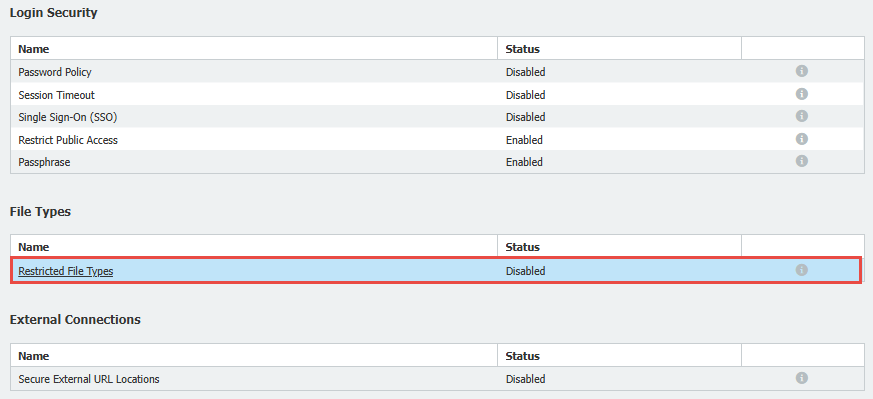
3. Select Restricted File Types
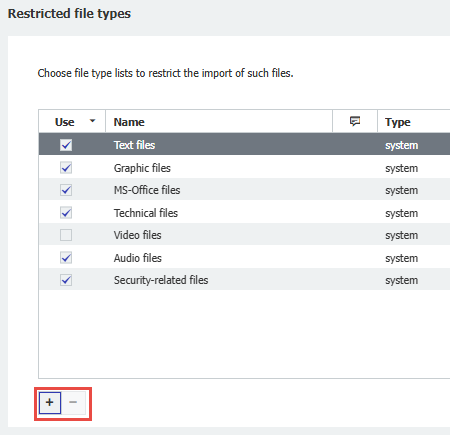
4. We are presented with a number of predefined text files. By checking the Use box, you can enable the restriction of these specific file types.
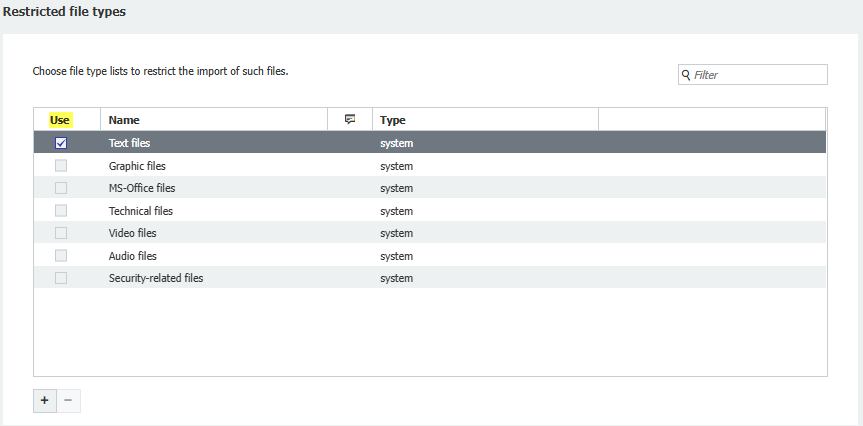
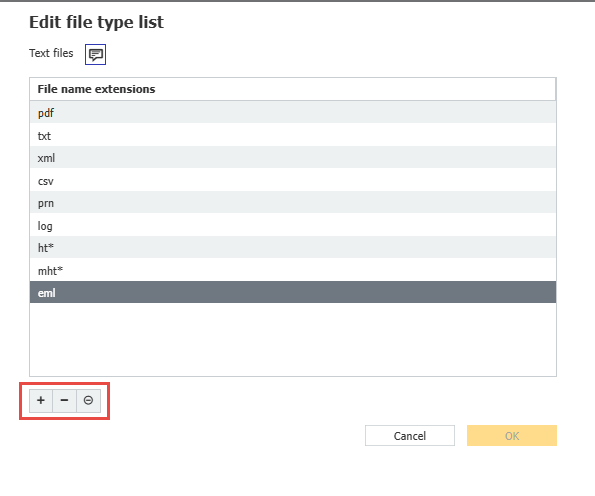
5. We can also edit the file types by clicking edit  icon on the right-hand side. This will allow us to add or remove file types from restriction using the + or -.
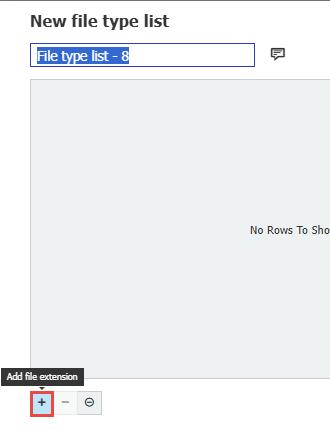
6. Lastly, we have the option to add a custom file type to the list. This can be created by clicking the "+".
7. Press Save in the top right corner to save your changes.

KBA is applicable for both Cloud and On-premise Organizations.