


Overview:
Comencing in DocuWare 7.13, Two-step verification is now available for all organizations. Please refer to the following guide on how to enable Two-Step verification for your organization:
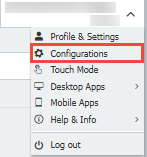
- Beginning on the web client, click the dropdown in the top-right corner, and select Configurations.
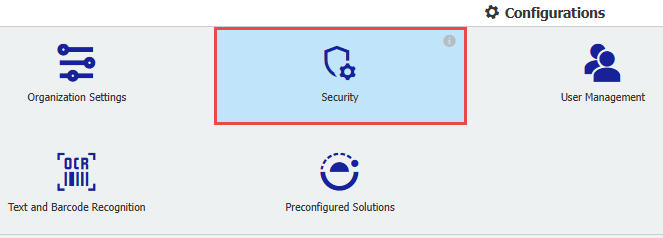
- From the Configurations page, select Security.
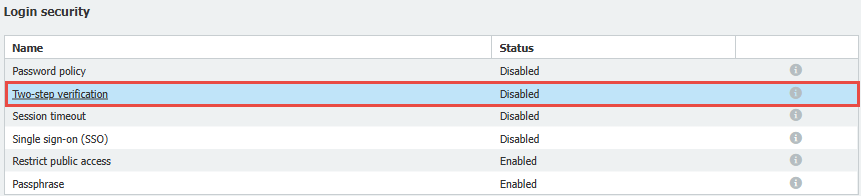
- Open the Two-step verification tab.
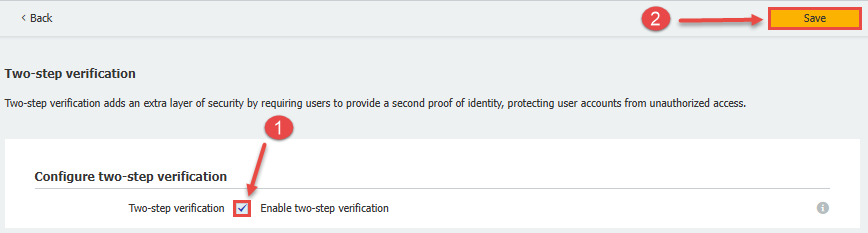
- Select the checkbox that reads Enable two-step verification, then click Save.
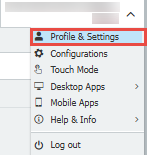
- Upon enabling, navigate back to the web client and click the dropdown in the top right corner, then select Profile & Settings.
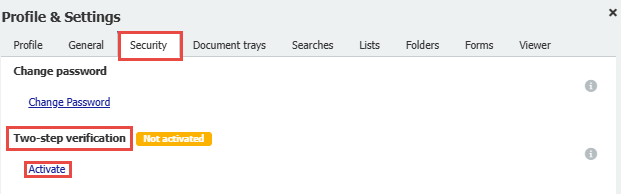
- From Profile & Settings, click the Security tab, then select Activate under Two-step verification.
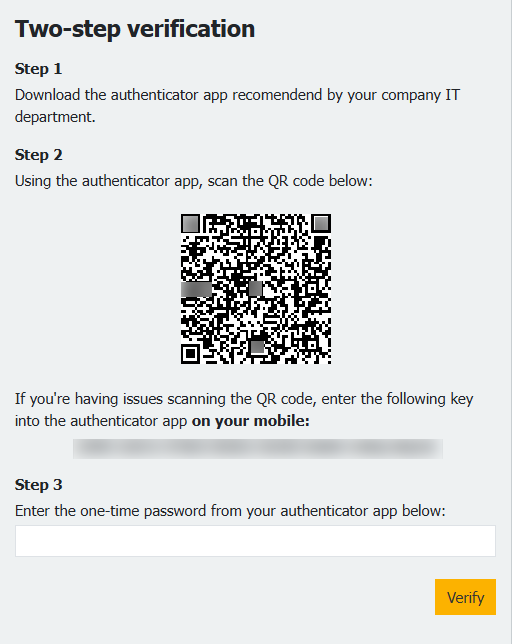
- Once activated, you will see a Two-step verification prompt. Download an Authenticator app recommended and approved by your IT department. For example purposes, we will be using Microsoft Authenticator.
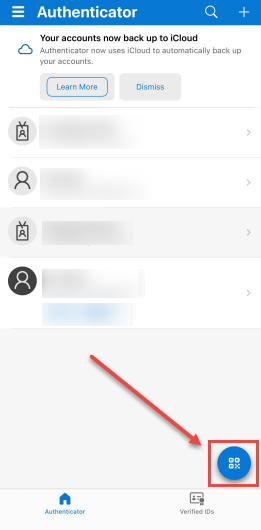
- On your mobile device, select the QR code button, and scan the QR code on your workstation.
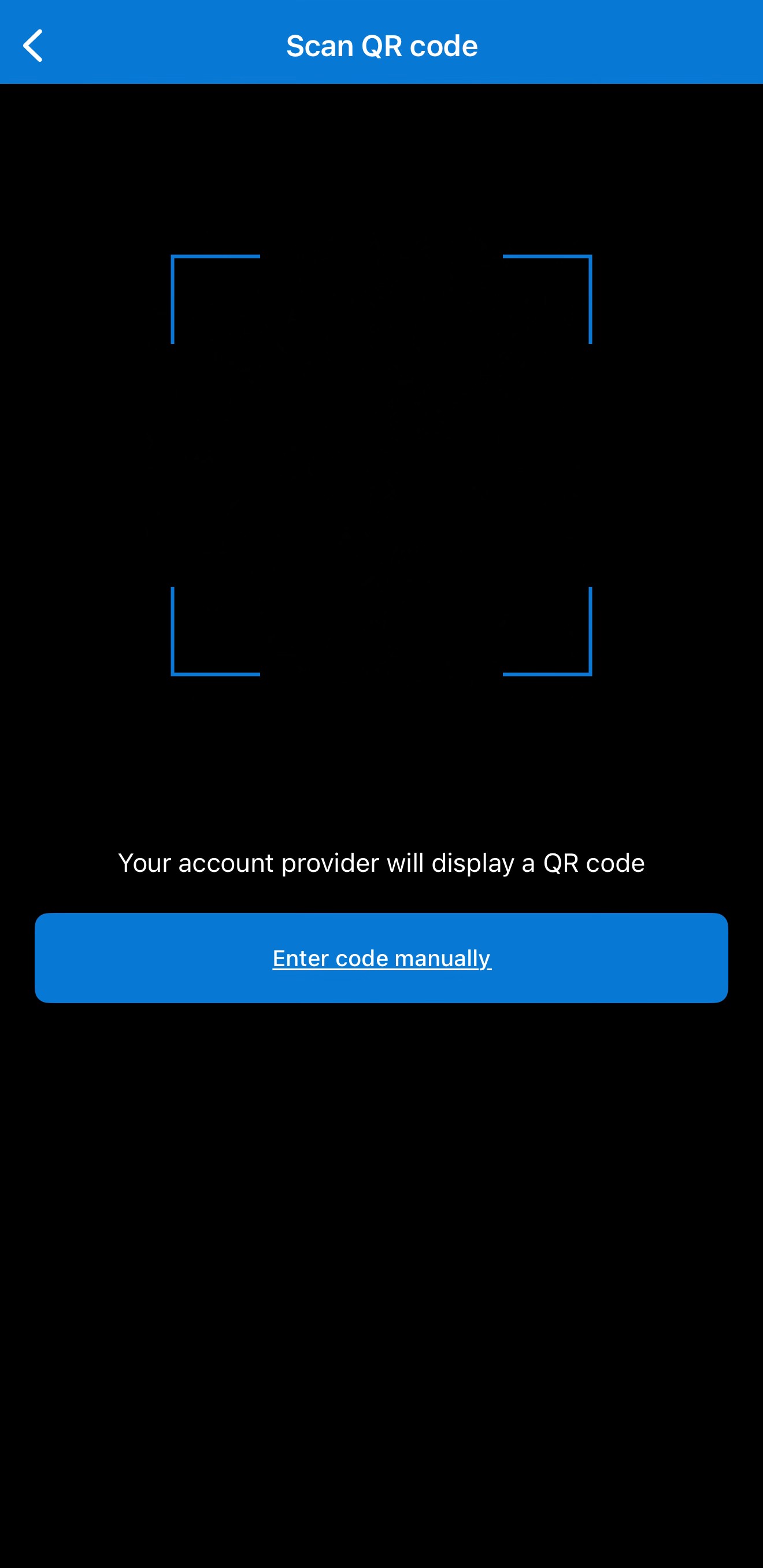
Note: Alternatively, you can select to type the code in manually whose location is visible in step 7 of this guide.
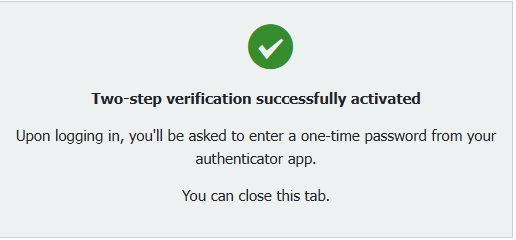
- Once this is configured, you will receive the following confirmation message.
Note: Once configured, users will be signed out of the webclient.
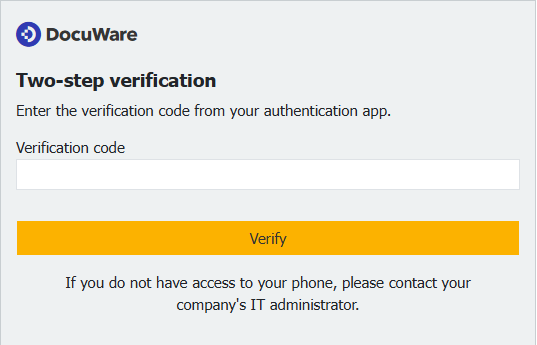
- Now that Two-step verification is enabled, when entering the log in page of DocuWare, it will prompt for the verification code from your authenticator app.
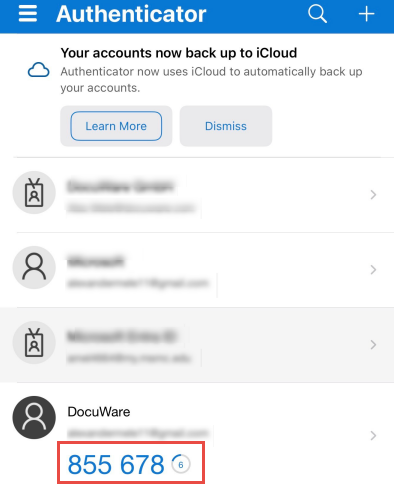
- To find this code, navigate to your authenticator app and find the DocuWare prompt.
Note: the code displayed in the example is unique and is for testing purposes only. The users code will differ. Additionally, the 6 digit code contains a token.
- Type in the provided code in the Web Client's verification box.
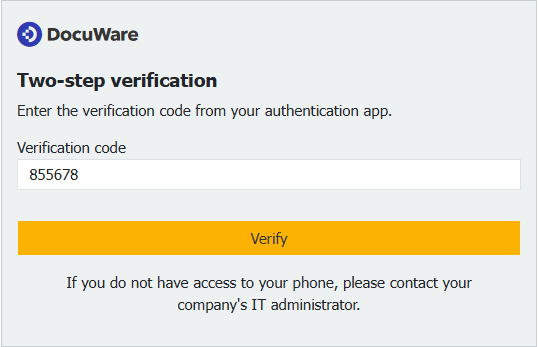
- Select Verify, and if configured correctly, you will be redirected to the web client and are now successfully logged in.
KBA is applicable to both Cloud and On-premise Organizations.