


Question:
How can you use the OR operator when setting up the trigger criteria of a workflow?
Answer:
The OR operator can be used in both the original and new versions of DocuWare Workflow Designer. The approach differs slightly across versions, but the following shows how it can be done in both designers.
Original Workflow Designer
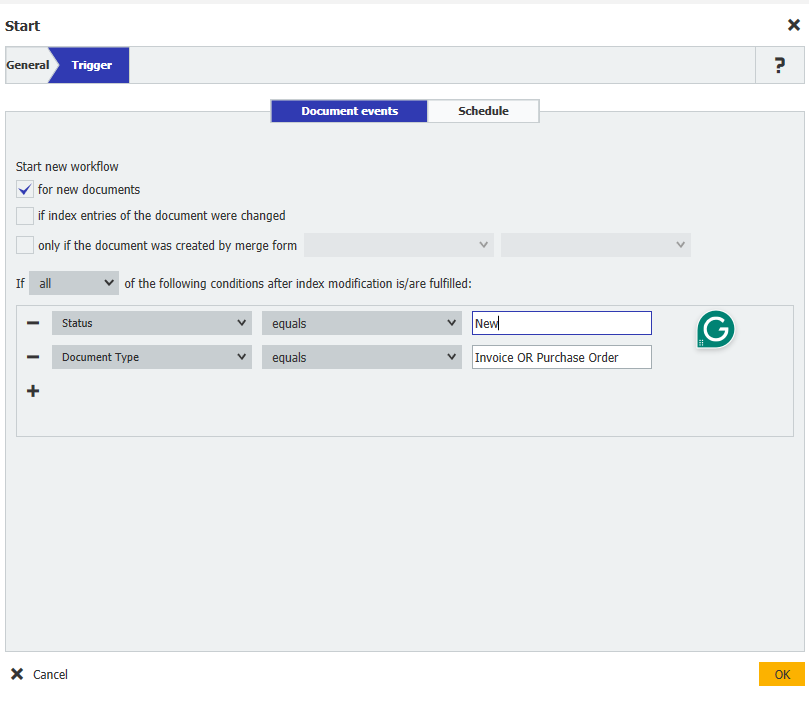
For example, if we want to check for an Invoice or a Purchase Order, we will insert an OR in the middle of the index field for “Document Type.”
What we'd be checking below is any document with the status "New" and either an Invoice or a Purchase Order.
New Workflow Designer
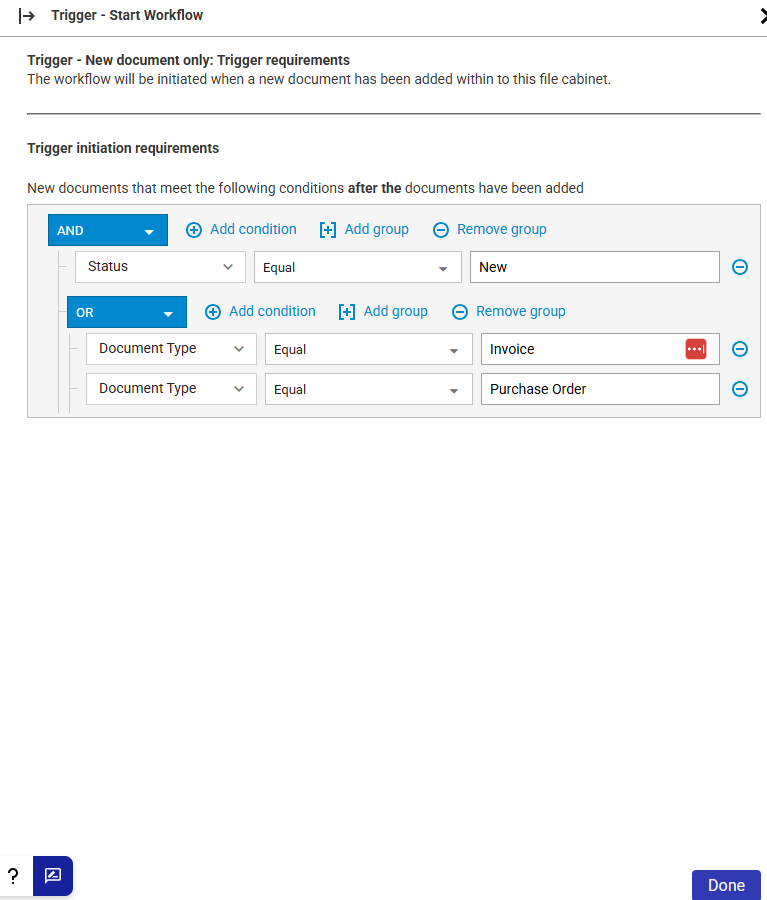
In this example, we use the query builder to achieve the same result as above.
KBA applicable for both Cloud and On-premise Organizations.